Visualize, explore, and reclaim your Android storage
Fast and offline disk space analyzer for Android
Screenshots
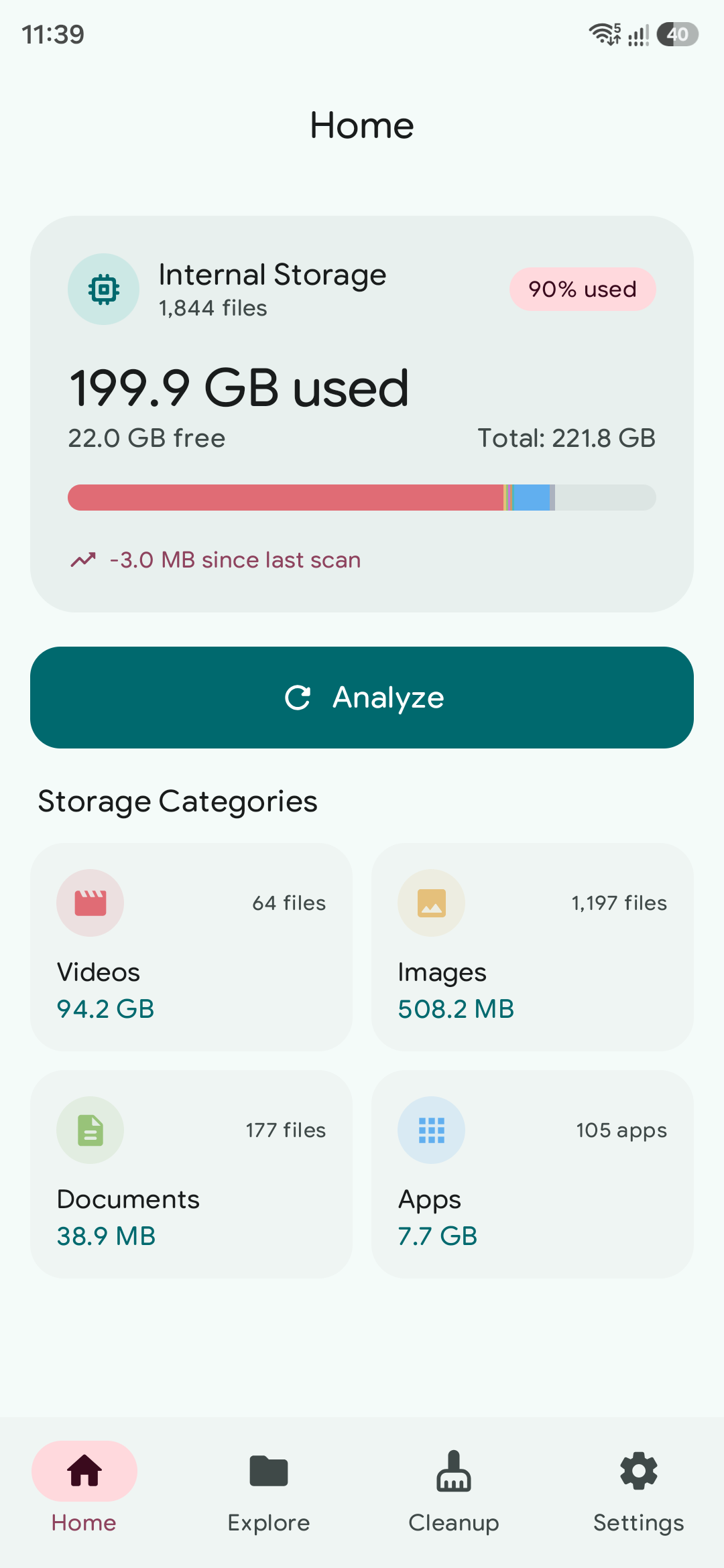
Clean Material 3 interface
Designed for visual clarity and speed
Features
Powerful storage tools
Built for clarity, speed, and privacy
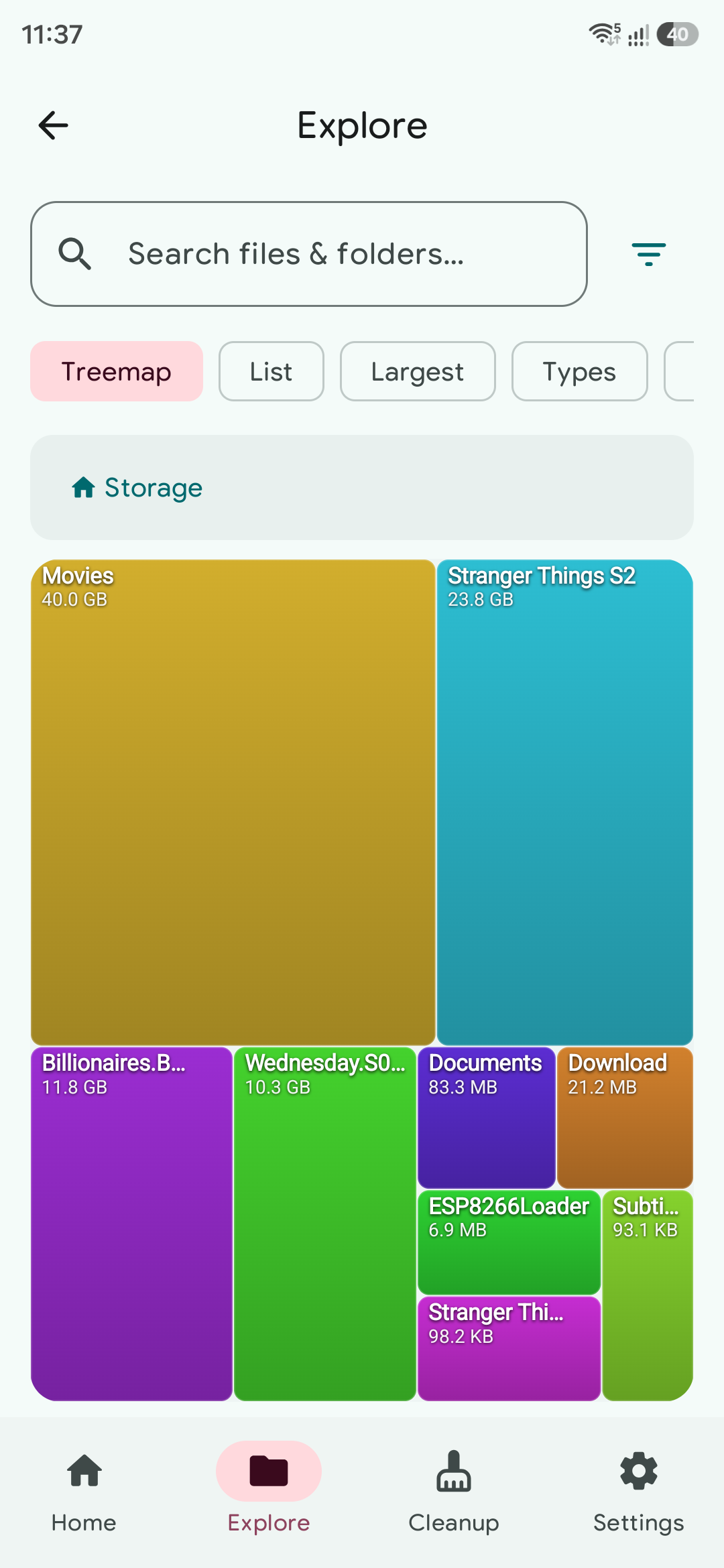
Squarified Treemap Canvas
Hardware-accelerated visual treemaps with guaranteed minimum tile floor
(~3.5%) so small files never collapse into unclickable slivers.
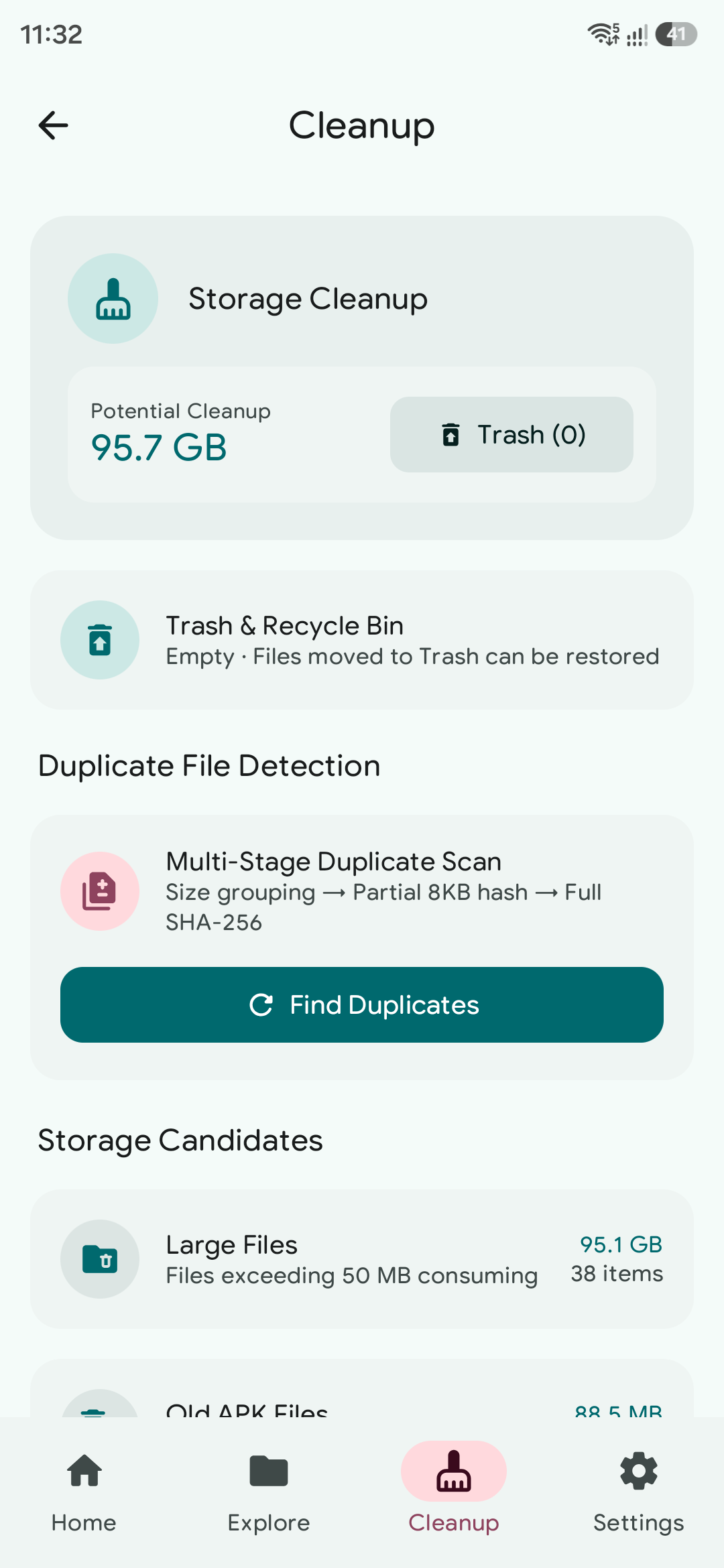
Smart Storage Cleanup
Identify and safely batch clean duplicate files with collapsible group
sets, obsolete APK packages, empty directories, and caches.
Customizable Dashboard
Curate which storage category cards appear on Home with guaranteed minimum
visibility, and toggle real-time Quick Insights.
100% Offline & Private
Zero telemetry, zero tracking, and zero cloud calls. All file indexing,
hashing, and space computations run strictly on-device.
Quarry is not a general-purpose file manager. It is dedicated specifically to disk space analysis, visualization, and cleanup—not everyday file management like copying, moving, or archiving.
Download
Get Quarry for Android
Install the latest release directly on your Android device
Quarry
What's New:
- Loading release highlights...
Tech Stack
Modern Android architecture
Clean Architecture, Jetpack Compose, and native Kotlin performance
architecture.spec.kt
Target SDK 36 · Pure Kotlin 2.2
Subsystem
Stack & Tech
Implementation Details
Mode
Presentation
ui/compose & theme
Jetpack Compose
Material 3
Declarative UI system, dynamic Material You theming, squarified treemap canvas, and fluid navigation.
60 FPS Native
Persistence
data/room & datastore
Room 2.8.4
DataStore
Zero-cloud local encrypted storage with metadata indexing, user preference management, and reactive Flow
streams.
100% On-Device
Treemap Engine
domain/treemap
Squarified Algorithm
Proximity Hit
Hardware-accelerated squarified tiling with guaranteed 3.5% visual area floor and HSL color
harmonization.
High Precision
Background Tasks
worker/workmanager
WorkManager 2.10
Coroutines
Asynchronous directory traversal, duplicate hashing, and file metadata extraction offloaded to
Dispatchers.IO.
Non-Blocking
Security & Auth
domain/security
BiometricPrompt
Device Lock
Hardware biometric fingerprint authentication and device PIN lock protection for sensitive file
operations like rename and delete.
Zero Telemetry
FAQ
Frequently Asked Questions
Common questions about Quarry
Is Quarry completely free, open source, and ad-free?
Yes, absolutely! Quarry is 100% free with zero advertisements, no premium subscriptions, no paywalls,
and no tracking. It is completely free and open source.
Is Quarry a general-purpose file manager?
No. Quarry is dedicated specifically to disk space analysis, visual treemap exploration, and smart storage cleanup—not everyday file management like copying, moving, or archiving.
Why does Quarry require the 'All Files Access' permission?
To visualize your entire storage drive, calculate directory sizes, detect duplicate files, and locate
orphaned app caches across internal and external storage, Android 11+ requires the
MANAGE_EXTERNAL_STORAGE permission. Quarry never uploads or shares your files.
How does the squarified treemap guarantee small files are visible?
Standard treemaps often compress small files into invisible 1-pixel lines. Quarry implements a
guaranteed minimum visual floor (~3.5% canvas area) alongside proximity-aware touch detection so every
file and folder remains clearly identifiable and directly tappable.
Does Quarry send any data or analytics to the cloud?
No. Quarry does not even declare the
INTERNET permission in its Android Manifest. It is
physically incapable of transmitting network traffic, telemetry, or analytics. All file indexing,
duplicate hashing, and storage calculations run 100% locally on your device.
How does the smart duplicate and cleanup tool work?
Quarry uses an ultra-fast 3-stage duplicate detection algorithm: exact byte size grouping, 8KB partial
content hash pre-filtering, and full SHA-256 cryptographic verification. This guarantees zero false
positives while keeping scan times minimal.
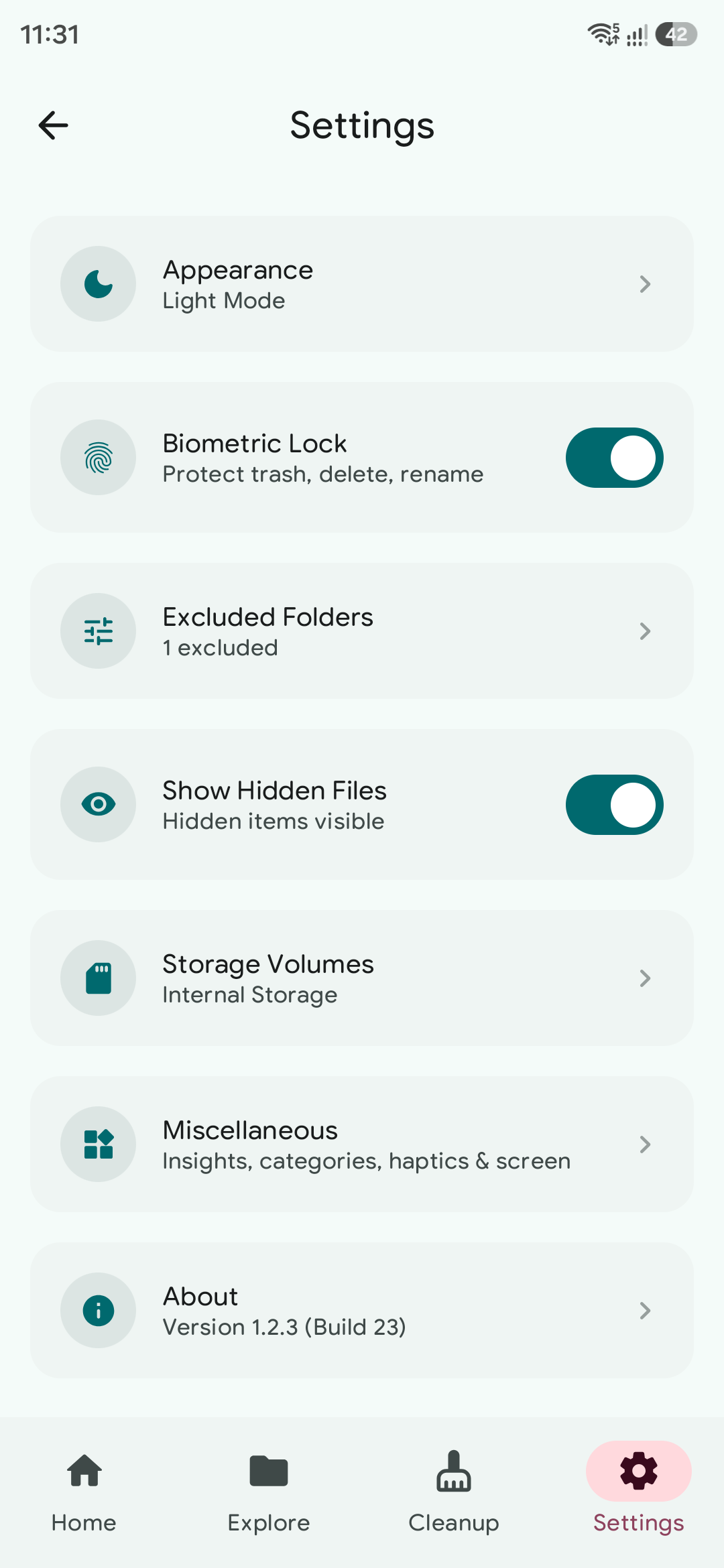
Can I customize the dashboard categories and haptics?
Yes! Through the Settings screen, you can curate which storage category cards appear on Home (enforcing
a minimum of four for a balanced grid), toggle Quick Insights, adjust vibration strength sliders, and
enable keep-screen-on while scanning.